Prepare the school
We organise classes, teacher access, learner records and parent-linking information before launch. A pilot grade or group can be used to prove the process first.
MODISA–SIZA is introduced as a school system, not another app link. We organise access, guide adoption and keep daily communication easy to follow.
We organise classes, teacher access, learner records and parent-linking information before launch. A pilot grade or group can be used to prove the process first.
Teachers receive practical guidance for their daily workflow. Parents receive clear steps to link their learners and understand where each type of update lives.
Teachers record attendance, communicate and publish schoolwork from MODISA. SIZA organises those updates around each family’s linked learner.
Leadership can follow adoption, communication quality and areas that need more support before expanding to additional grades.
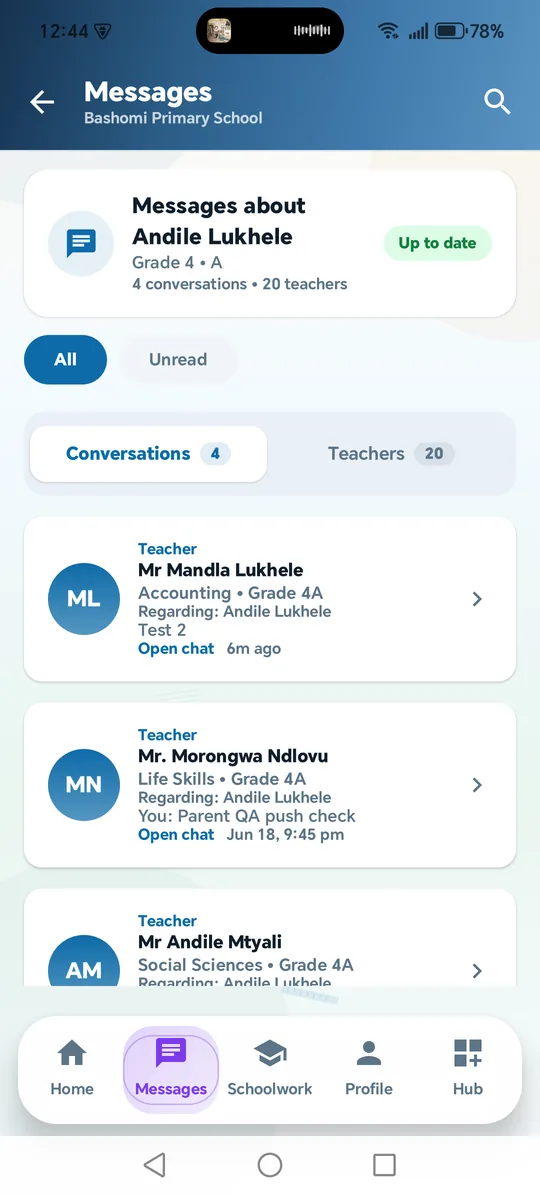
Families receive a focused view of their linked learner instead of searching through scattered messages.
Teachers work from assigned grades and subjects with practical tools for the school day.
Leadership gets a clearer picture of rollout progress without entering the teacher’s day-to-day workspace.
Messages stay connected to the right teacher and learner. Attendance remains an alert, not chat noise. Schoolwork remains separate from official notices. That structure makes the system easier to trust.
We’ll explain setup, teacher workflow, the parent experience and rollout support using your school’s context.